
Register and sign in to getapi.one
When registering, choose a username and password, then verify your email with the code you receive. After registration, you can sign in to the console with your username or email address.
Quick links
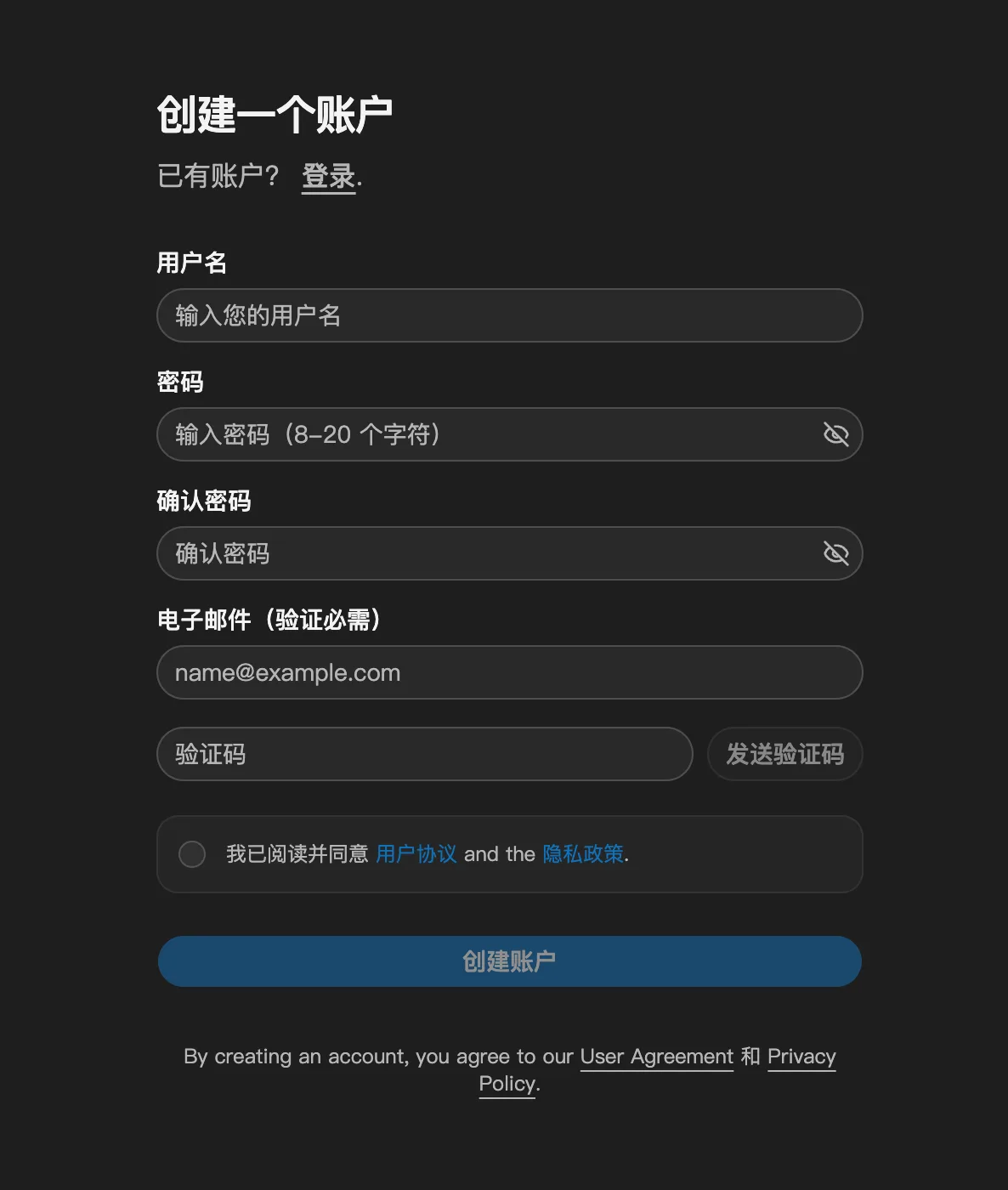
Create an account
- Open the getapi.one registration page.
- Enter a username.
- Create a password of 8 to 20 characters, then enter it again to confirm.
- Enter your email address, select "Send verification code", then enter the code sent to your email.
- Select "I have read and agree to the User Agreement and Privacy Policy".
- Select "Create account".
Sign in to the console
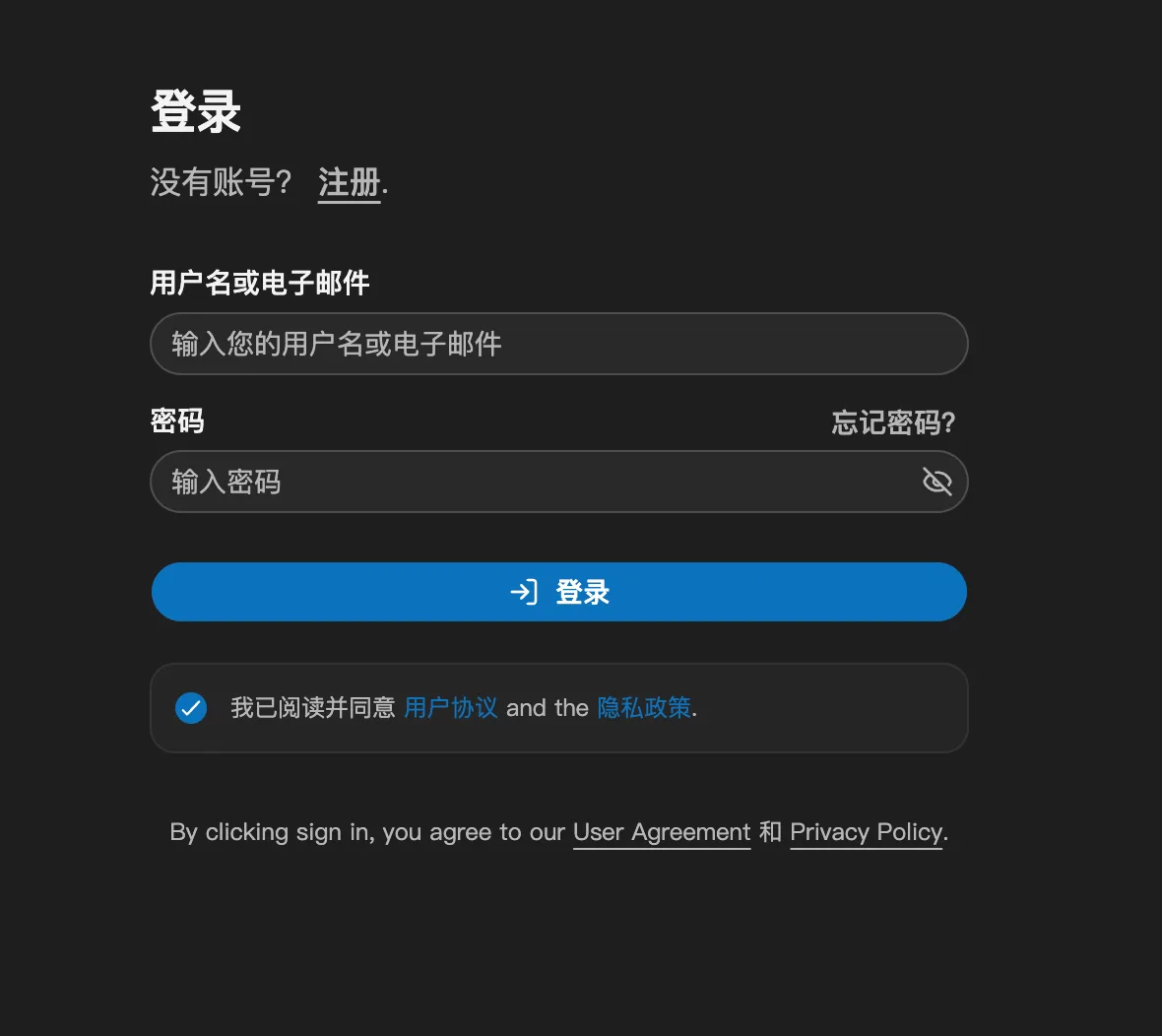
- Open the getapi.one sign-in page.
- Enter your username or email address and your password.
- Select "I have read and agree to the User Agreement and Privacy Policy".
- Select "Sign in".
If you forget your password, select "Forgot password?" to the right of the password field.
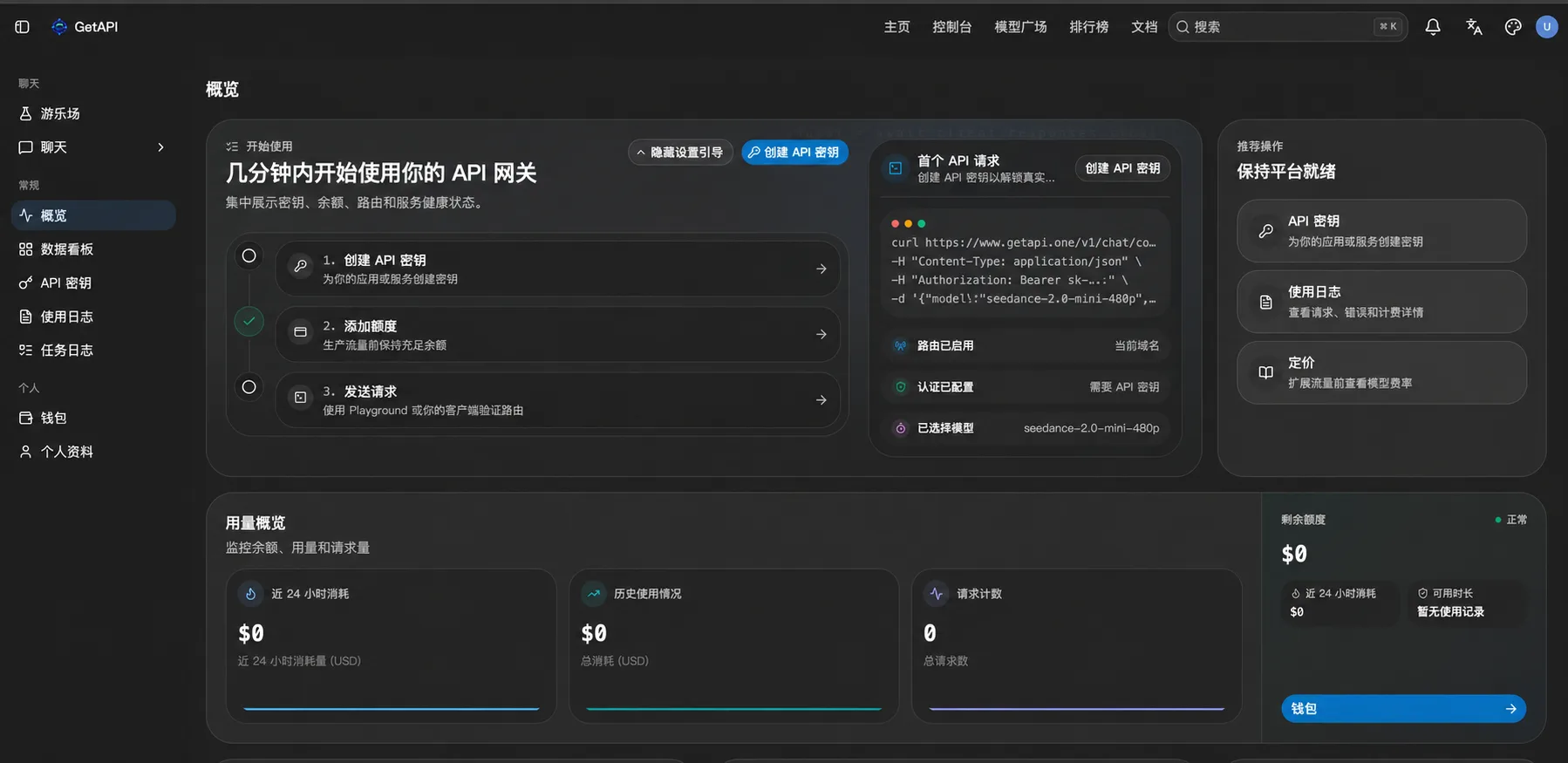
Sign-in successful
After signing in, the Overview page opens. The left menu includes API Keys, Usage Logs, Task Logs, Wallet, Profile, and other features.
Security tips
Enter your account information only on the official getapi.one domain. Never share your password, email verification code, or API Key. Hide personal information before sharing screenshots.
Next step
After signing in successfully, continue to view the getapi.one API Key application guide.